The AI Engineer Path
Scrimba's AI engineer path, interactive in the browser editor throughout. It leads from the first API requests to a language model through streaming UIs, prompt and context engineering and a hand-built RAG pipeline (embeddings, chunking, vector database in Supabase) to agents: first built from scratch following the ReAct pattern, then via OpenAI function calling and finally with the Vercel AI SDK including tool calling, structured outputs and agentic retrieval routing. On top of that: open-source models (Hugging Face, Transformers.js in the browser, Ollama locally), deployment with staging, a health endpoint and alerting, a custom MCP server, and multimodality with image generation and vision. Several standalone solo projects are included — PollyGlot, PopChoice and an AI travel agent.
Contents & competencies
- Model selection and setup: the AI marketplace and recommended models, your own AI client, building the first API requests and then rebuilding them from scratch
- Costs and limits under control: tokens, token costs, context windows, model snapshots and the messages array
- Prompting in practice: system message, few-shot prompting, temperature and top P, JSON and structured outputs, the web search tool
- Streaming UIs: streaming responses, rendering markdown safely, handling errors and carrying the context of an ongoing conversation
- Context engineering: building system prompts deliberately, managing the context window and summarising context when it grows too large
- RAG from the ground up: generating embeddings, chunking documents, storing them in a Supabase vector database and retrieving them by similarity search — including multiple matches and error handling
- Building agents yourself: ReAct prompting with your own loop logic and response parsing, then the same agent via OpenAI function calling with automatic tool calls
- Vercel AI SDK: basics, structured outputs, tool calling and agentic retrieval routing — each with its own challenge — through to a complete customer support agent with web search
- Open-source models: Hugging Face inference for summarisation, classification and image editing, models in the browser with Transformers.js, running locally with Ollama
- Model Context Protocol: architecture and core concepts, your own MCP server with tools and resources, transports and MCP clients
- Multimodality: image generation including prompting, response formats, size/quality/style and image editing, plus vision analysis with GPT-4
- Deployment: Node environment, build command on Render, smoke test, domains, staging and merging, alerting, a health endpoint and shutting processes down cleanly
Syllabus
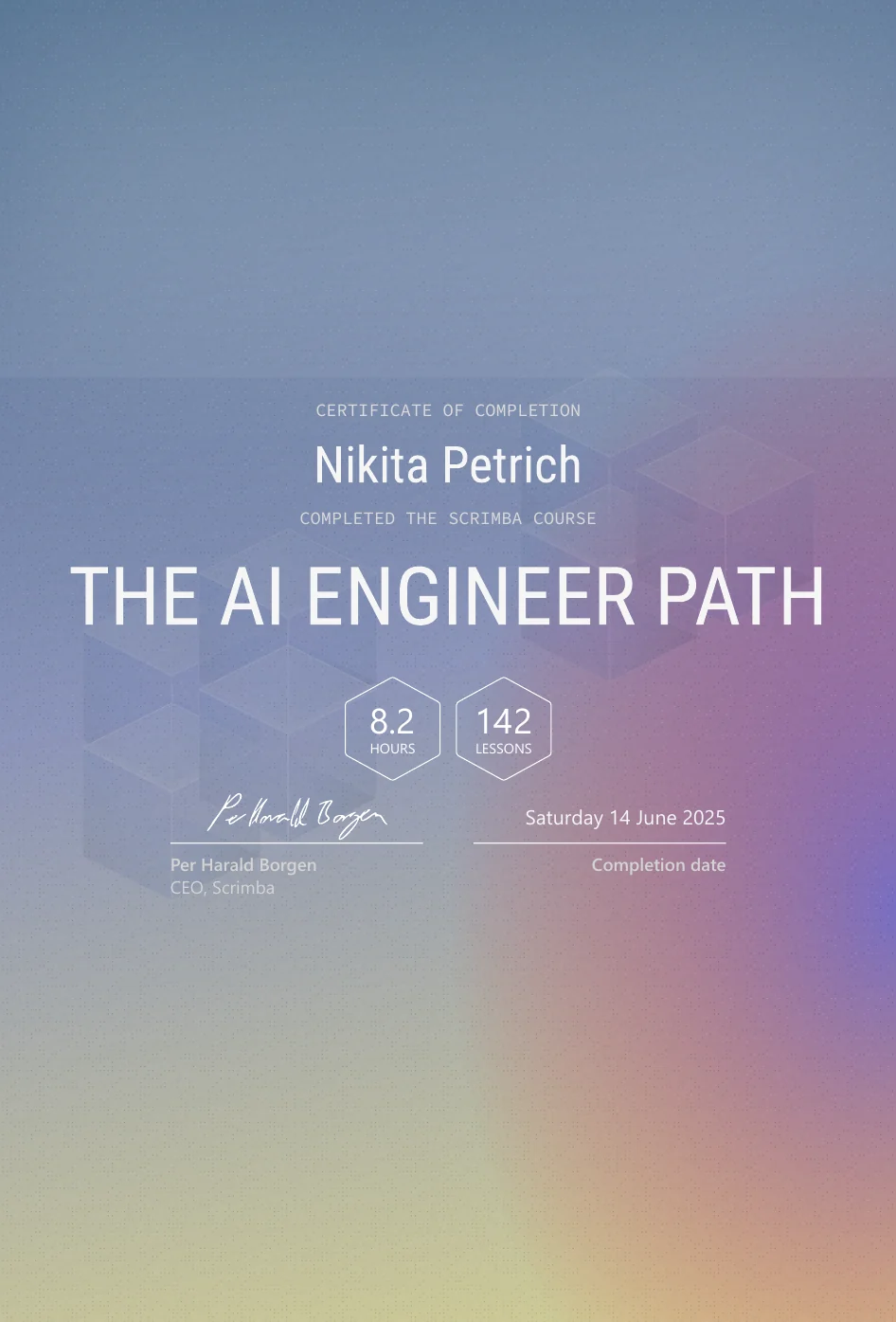
The path as it stands today: 9 modules totalling 11.4 hours. The certificate from June 2025 states 8.2 hours and 142 scrims — the path was extended after completion, recognisable by the modules marked “updated”. In the “Agents” module the multi-part ReAct and function-calling series are each condensed into a single entry.
Intro to AI Engineering (updated)approx. 2.5 hrs
- Introducing Your AI Superpower
- The AI Marketplace
- Environment Setup
- Recommended Models
- Setting Up Your AI Client
- Your First AI Request
- Your First AI Request Walkthrough
- Rebuilding Your First AI Request
- Shorter Responses With Tokens
- Refining Our Prompt
- Refactoring Our AI Request
- Model Snapshots
- The Messages Array
- The System Message
- Token Costs
- Context Windows
- Wiring up our UI
- Error Handling
- Rendering Markdown Safely
- Streaming AI Responses
- Gift Genie UI Streaming Challenge
- Structuring Our Markdown Responses
- Making Our Gift Genie Context Aware
- Few Shot Prompting
- Temperature & Top P
- Responses API Intro
- JSON Output
- Structured Outputs
- Web Search Tool
- Web Search In The Gift Genie UI
- Backend Orientation
- Backend Migration Super Challenge
- Solo Project: PollyGlot
- Scrimba Docs
- Outro
Deployment (updated)71 min
- Intro
- Code check
- The Node Environment
- Push to GitHub
- Render Build Command
- Smoke Test
- Domain Names
- Database Problems
- Staging
- Merging
- Alerts and Notifications
- Health Endpoint
- Terminating Processes & Signals
- Outro
Open-source Models40 min
- Open source vs closed source
- Intro To HuggingFace.js Inference
- Getting Started
- Text Summarization & Classification with HuggingFace Inference
- Transforming Images with HuggingFace Inference
- How to find Inference Models on HuggingFace
- AI Models In The Browser With Transformers.js
- Download and Run AI Models on Your Computer with Ollama
- Section Recap
Embeddings and Vector Databases95 min
- What are embeddings?
- Set up environment variables
- Create an embedding
- Challenge: Pair text with embedding
- Vector databases
- Supabase Dependency Upgrade Warning
- Set up your vector database
- Store vector embeddings
- Semantic search
- Query embeddings using similarity search
- Create a conversational response using OpenAI
- Chunking text from documents
- Challenge: Split text, get vectors, insert into Supabase
- Error handling
- Query database and manage multiple matches
- AI chatbot proof of concept
- Retrieval-augmented generation (RAG)
- Solo Project: PopChoice
- Outro
Agents117 min
- AI Agent Intro
- Prompt Engineering 101
- Control Response Formats
- Zooming Out
- Agent Setup
- Introduction to ReAct prompting
- Build action functions
- Write ReAct prompt (Part 1 – Planning)
- ReAct Agent (Teile 2–9): Prompting, Loop Logic, Code Setup, Response Parsing, Action Calls, Housekeeping, Final Loop
- OpenAI Functions Agent (Teile 1–9): Intro, Demo Day, Tools, Loop Logic, Setup Challenge, Tool Calls, Pushing to Messages, Adding Arguments, Automatic Function Calls
- Adding UI to agent – proof of concept
- Solo Project: AI Travel Agent
- Outro
Context Engineering58 min
- Context Engineering Intro
- The System Prompt
- AI SDK + OpenRouter Setup
- Code Overview
- Adding A System Prompt
- System Prompt Challenge
- Managing The Context Window (inkl. Demo und Challenge)
- Summarizing Context (inkl. Demo und Super Challenge)
- Context Engineering Outro
Vercel AI SDK113 min · 20 lessons
- Customer support ai agent intro
- Retrieval augmented generation refresher
- Embeddings recap
- Vector database embed documents
- Vector database retrieval
- Challenge: Vector database retrieval
- Vector database text splitting and retrieval
- Vercel ai sdk basics
- Challenge: Vercel ai sdk basics
- Vercel ai sdk structured outputs
- Challenge: Vercel ai sdk structured outputs
- Vercel ai sdk tool calling
- Challenge: Vercel ai tool calling
- Agentic retrieval routing
- Challenge: Agentic retrieval routing
- Web search ai agent
- Web search plus retrieval agent
- Challenge: Web search retrieval
- Complete customer support ai agent
- Outro
Model Context Protocol37 min · 9 lessons
- Introduction
- Intro to MCP & Its Importance
- Core MCP Concepts & Architecture
- Setting up MCP Server and Defining Tools
- Registering Resources in the MCP Server
- Run the MCP Server
- Transports
- MCP Clients
- Wrap Up
Multimodality62 min · 11 lessons
- Introduction
- Generate original images from a text prompt
- Response formats
- Prompting for image generation
- Size, quality and style
- Editing images
- Image generation challenge
- Image generation challenge solution
- GPT-4 with Vision — Part 1
- GPT-4 with Vision — Part 2
- Image generation & Vision recap
Wrap-up2 lessons
- How to Utilize Your Certificate
- Certificate of Completion