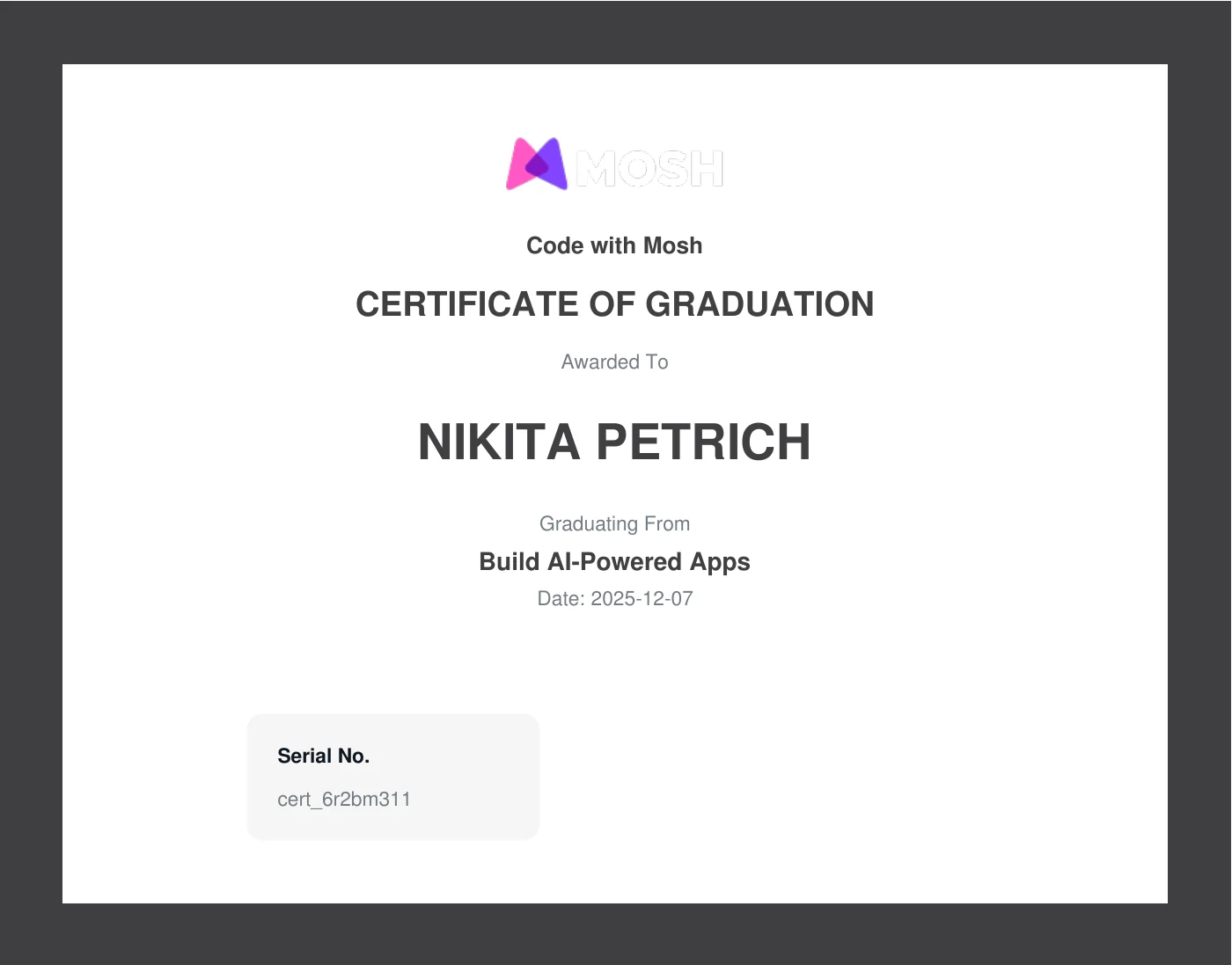
Build AI-Powered Apps
A project-based course by Mosh Hamedani on building LLM applications: from the fundamentals of language models (tokens, model choice, model settings) through a modern full-stack setup with Bun, TailwindCSS and shadcn/ui to two end-to-end projects — a chatbot with a streaming UI and a review summariser with MySQL, Prisma and TanStack Query. It adds a dedicated module on prompt engineering and the use of open-source models via Hugging Face and Ollama. Refactoring runs through the whole course: repository, service and controller are extracted step by step. Fully completed (all lessons).
Contents & competencies
- Language model fundamentals: what LLMs can do, understanding and counting tokens, choosing the right model, model settings and API calls
- Modern full-stack setup: Bun, separate frontend and backend, OpenAI API key handling, TailwindCSS, shadcn/ui, Prettier and pre-commit checks with Husky
- Chatbot backend: chat API, conversation state management, input validation and error handling — then refactored into repository, service, controller and routes
- Chatbot frontend: chat UI, state management, markdown rendering, typing indicator, auto-scrolling and error handling, broken down into separate components
- Prompt engineering: how a good prompt is built, supplying context, steering the output format, giving examples, reducing hallucinations and improving prompts iteratively
- Review summariser: MySQL and Prisma with schema, migrations and realistic test data, an API to fetch and summarise reviews, storing and regenerating the summary, edge cases
- Frontend with TanStack Query: displaying reviews and star ratings, loading skeletons, error handling, mutations and an extracted API layer
- Open-source models: finding and calling models on Hugging Face, choosing the right model for the task, running models locally with Ollama
Syllabus
The course page states 7 hours and 120 lessons across 8 sections but lists individual lessons only for “Getting Started”. The outline here is therefore taken from the course player and shows all 109 lessons that were included at completion in December 2025 — the course has grown since. The Code with Mosh certificate itself states no scope. The numbering of sub-lessons (2.1, 4.3 …) has been removed in favour of continuous counting.
Getting Started7 min · 6 lessons
- Welcome
- Prerequisites
- What You'll Learn
- Getting Help
- Source Code
- Submitting Feedback
Introduction to AI Models32 min · 8 lessons
- Rise of AI Engineering
- What Are Large Language Models?
- What Can You Do With Language Models?
- Understanding Tokens
- Counting Tokens
- Choosing the Right Model
- Understanding Model Settings
- Calling Models
Setting Up a Modern Full-Stack Project50 min · 11 lessons
- Setting Up Bun
- Creating the Project Structure
- Creating the Backend
- Managing OpenAI API Key
- Creating the Frontend
- Connecting the Frontend and Backend
- Running Both Apps Together
- Setting Up TailwindCSS
- Setting Up ShadCN/UI
- Formatting Code With Prettier
- Automating Pre-Commit Checks With Husky
Building a ChatBot1 hr 15 min · 30 lessons
- Introduction
- Building the Backend
- Building the Chat API
- Testing the API
- Managing Conversation State
- Input Validation
- Error Handling
- Refactoring the Chat API
- Extracting Conversation Repository
- Extracting Chat Service
- Extracting Chat Controller
- Extracting Routes
- Building the Frontend
- Designing the Chat UI
- Managing State
- Sending Messages
- Displaying Messages
- Styling Messages
- Rendering Markdown Text
- Adding a Typing Indicator
- Auto-Scrolling to the Latest Message
- Improving Copy Behaviour
- Improving the Look and Feel
- Handling Errors
- Refactorings
- Extracting TypingIndicator Component
- Extracting ChatMessages Component
- Extracting ChatInput Component
- Recap
- Summary
Prompt Engineering32 min · 12 lessons
- What is Prompt Engineering
- Anatomy of a Good Prompt
- Providing Context
- Controlling the Output Format
- Providing Examples
- Handling Errors and Edge Cases
- Reducing Hallucinations
- Refining Prompts
- Improving Chatbot Responses
- Adding Sound Effects
- Exercises
- Summary
Building a Review Summarizer2 hrs 20 min · 32 lessons
- Introduction
- Setting Up the Database
- Setting Up MySQL
- Setting Up Prisma
- Defining the Prisma Schema
- Running Migrations
- Refining the Prisma Schema
- Populating the Database with Realistic Data
- Building the Backend
- Creating the API to Fetch Reviews
- Refactoring: Separation of Concerns
- Creating an API for Summarizing Reviews
- Generating Summaries
- Refactoring: Extracting the LLM Logic
- Refactoring: Extracting the Prompt
- Storing the Summary
- Handling Regeneration
- Handling Edge Cases
- Fetching the Summary
- Building the Frontend
- Displaying Reviews
- Displaying Star Ratings
- Displaying Loading Skeletons
- Handling Errors
- Introducing Tanstack Query
- Displaying the Summary
- Triggering Summary Generation
- Displaying Loading Skeletons
- Handling Errors
- Refactoring with Mutations
- Refactoring for Readability
- Extracting the API Layer
Building with Open Source Models28 min · 8 lessons
- Introduction
- Why Use Open-Source Models
- Finding Open-Source Models
- Calling Hugging Face Models
- Choosing the Right Model For the Job
- Running Models Locally
- Using Hugging Face Models with Ollama
- Calling Ollama Models
Course Wrap Up2 lessons
- Course Wrap Up
- Feedback